Developer ID signed and notarized by Apple

Double-click an EPUB. Start reading.

No cluttered library. No forced file imports. A native macOS reader that puts you in control of typography — keeping reading light, quiet, and immersive.

  • Notarized by Apple
  • Optimized for Apple Silicon
  • 100% Offline · No Account Required
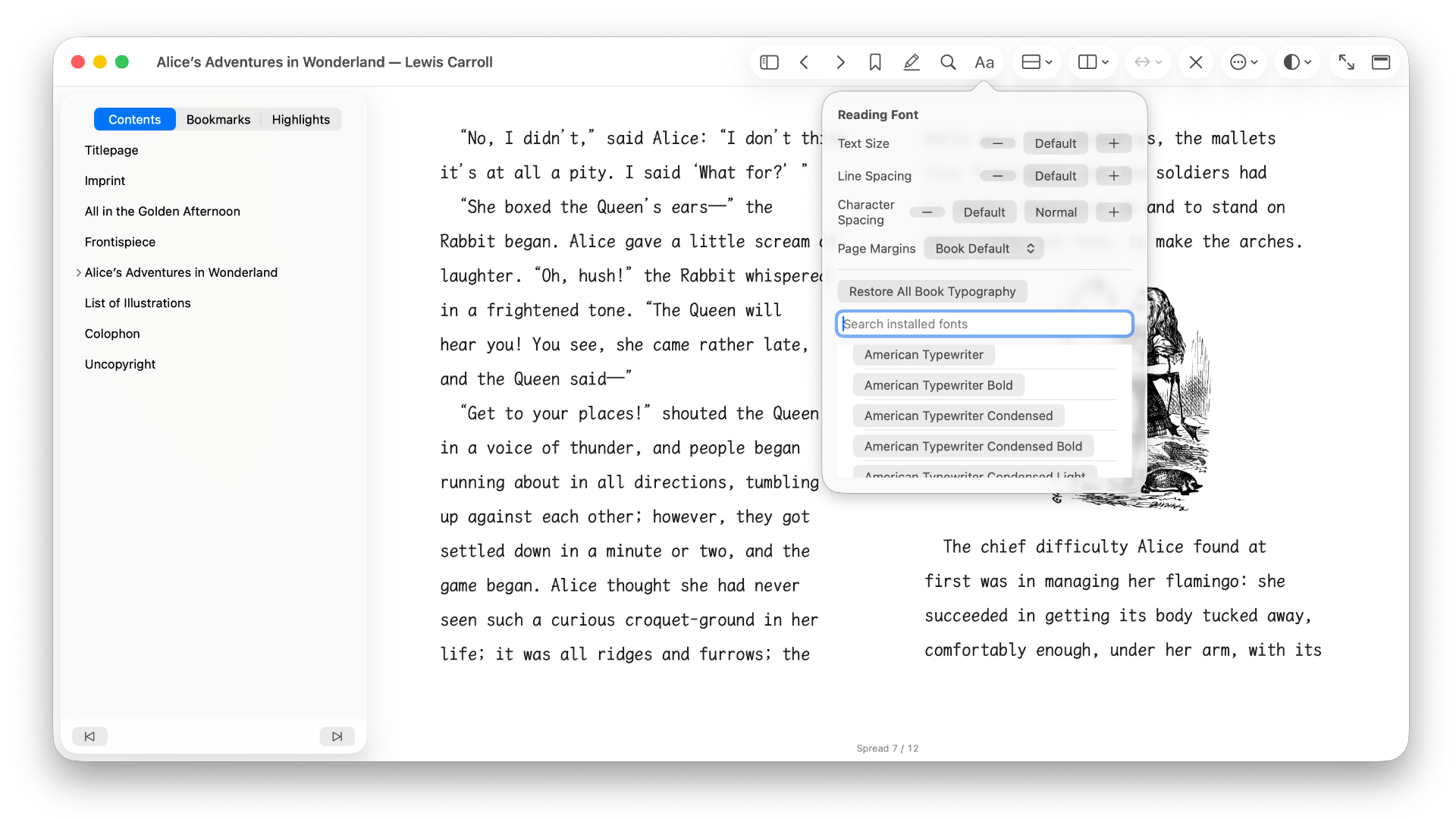
Silverlinger macOS reader screenshot in English

WHY SILVERLINGER

Everything unnecessary stripped away — leaving only the reading.

Document-First

Finder is your library.

Double-click and read — no redundant copies, ever.

No forced copying into hidden app directories. Double-click any supported DRM-free `.epub` to open it in its own window, or use ⌘O, drag-and-drop, and Open Recent. As long as a book’s contents remain unchanged, Silverlinger recognizes it automatically and attempts to restore your reading position, bookmarks, highlights, and notes — even after a rename or move.

Native Architecture

Loads on demand, stays out of your way.

No bloated cross-platform wrapper.

Built with pure native technology, designed to look and feel right at home on macOS. Resources load only while a book is open, paired with chapter navigation and search-as-you-type. When you close the window, it shuts down cleanly — leaving zero background processes running.

Typography

Take control of your typography.

Read with fonts available on your Mac.

Choose from any available system or user-installed font on your Mac, and freely tailor body font size, line height, letter spacing, and margins. White, warm, and night themes are included; illustrated titles and fixed-layout content preserve the publisher’s original styling.

Offline & Private

Your data stays local. Source files stay untouched.

No accounts. No analytics. Zero tracking.

No registration, analytics, or advertising components. Reading positions, bookmarks, highlights, and notes are stored in the local macOS App Sandbox container. Silverlinger opens source EPUB files read-only and does not modify them.

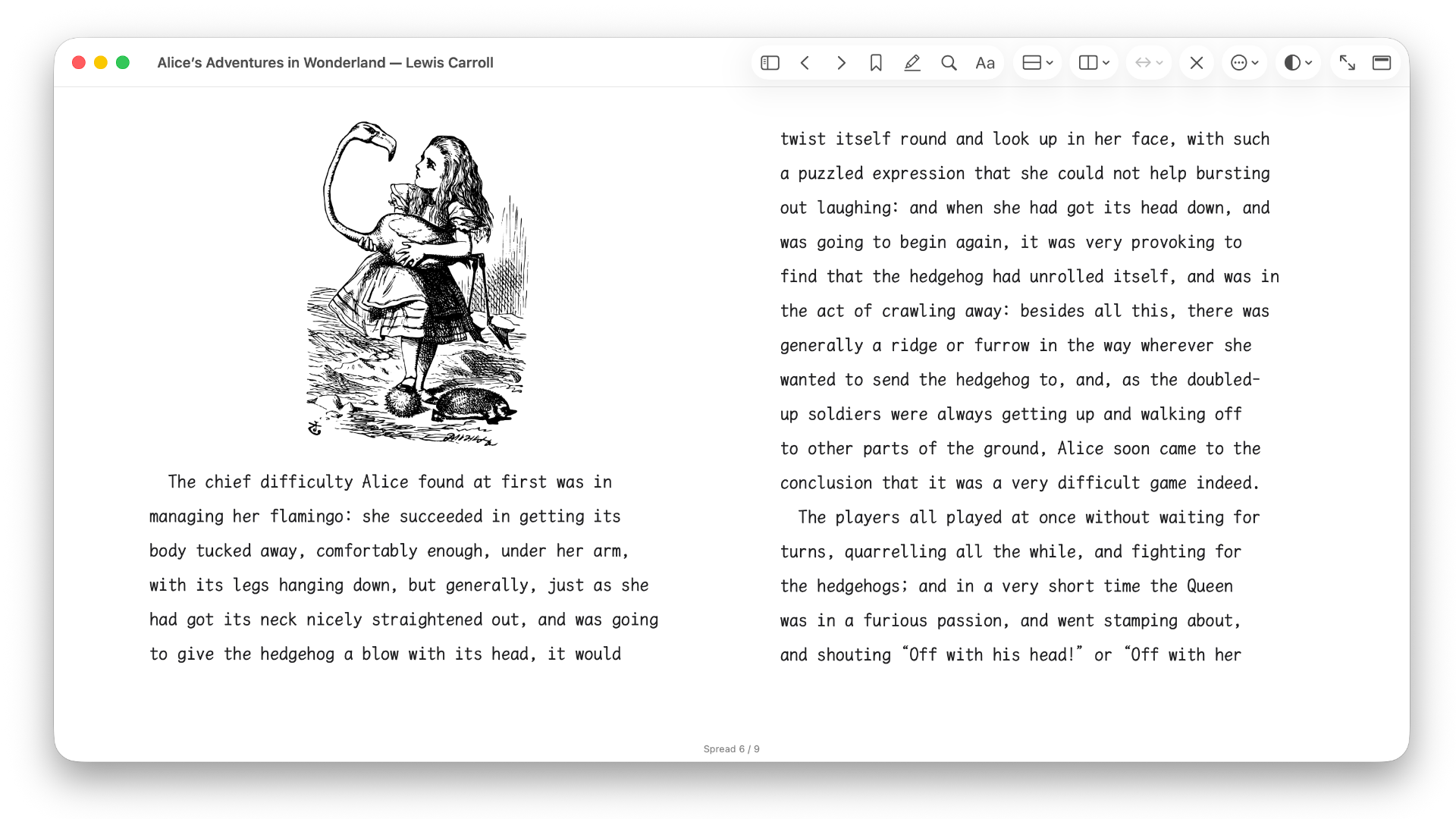
Silverlinger table of contents sidebar and typography panel screenshot

LESS IS MORE

Intentionally omitted, not overlooked.

To stay focused, lightweight, and pure, we intentionally do not include:

SPECIFICATIONS

Technical Specs & Compatibility

System Requirements
macOS 14.6.1
Architecture
Apple Silicon (current product support and validation scope)
Format Support
EPUB 2.0 / EPUB 3.0 (Reflowable text specifications)
Signing & Notarization
Signed with Developer ID and notarized by Apple (verification is built in, so it works fully offline)

Silverlinger 1.0.1

Download Silverlinger

Download the Developer ID signed and Apple-notarized release.

Version 1.0.1 is currently available at no charge

Download 1.0.1 for free · 3.3 MB

Installation

  1. 1. Download and unpack the ZIP file
  2. 2. Drag Silverlinger.app into your Applications folder
  3. 3. Double-click to open; signed and notarized by Apple, it usually opens without a security warning.

Silverlinger-1.0.1-macOS.zip · 3.3 MB

GOT QUESTIONS?

Frequently Asked Questions

Will I lose my reading progress, highlights, or notes if I rename or move my EPUB?

When a file’s contents are unchanged, Silverlinger can usually recognize it and reconnect it to its existing reading state. Moving it to another drive, losing authorization, or deleting it may require you to select the file again; your reading state is restored only once Silverlinger confirms it’s the same book.

Does it support Dark Mode?

Yes. Silverlinger can follow system appearance, or you can choose a white, warm, or night reading theme from the toolbar.

What are the current limitations on highlights?

The current release supports creating and removing highlights in one color. Multi-color organization and annotation export are not currently available.

How do I report bugs or formatting glitches?

Email the developer at mchan1970@gmail.com with a brief description and screenshot. If helpful, include the book’s approximate size, language, or whether it contains complex images and layout.